
Check what your Blocknet payment will use before you confirm it. This guide explains how the reviewed wallet estimates a network fee, why input selection matters and how recipient amount, fee and change fit together. It also shows where the documented command-line wallet presents its preview so you can inspect a payment without broadcasting it.
How are Blocknet transaction fees calculated?
The reviewed wallet chooses a fee from a conservative estimate of transaction size and a configured minimum. Selected inputs and created outputs affect that estimate. The fee is separate from the recipient amount, while unused input value becomes change. Review the wallet’s current preview for your particular payment before confirming it.
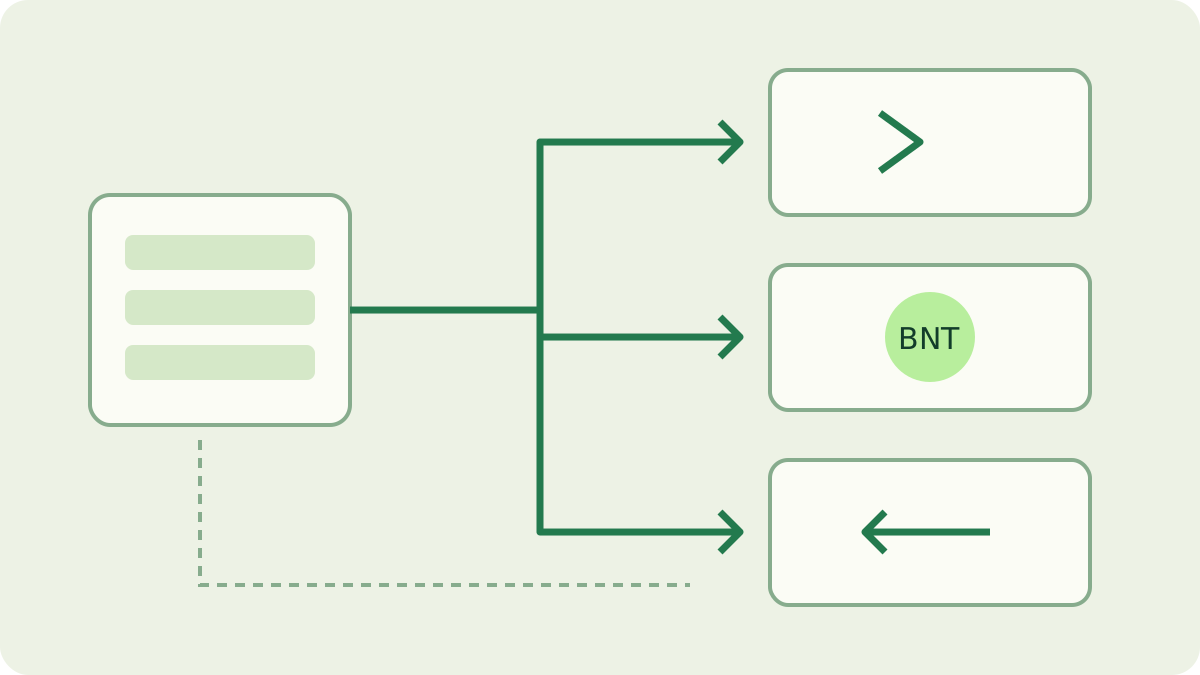
Understand the wallet calculation and its units
In the reviewed daemon source, the standard send path uses a minimum of 1,000 atomic units and a rate of 10 atomic units per estimated byte. One BNT contains 100,000,000 atomic units, so those values correspond to 0.00001 BNT and 0.0000001 BNT per estimated byte. These are dated implementation settings, checked on October 26, 2026, rather than a quote for every wallet version.
The calculation takes the larger of the minimum and the size estimate multiplied by the rate. For an explicitly illustrative estimate of 5,000 bytes, 5,000 × 10 = 50,000 atomic units, or 0.0005 BNT. That exceeds the stated minimum. The example is arithmetic using an assumed size; it is not a measured transaction or a promise that your next transfer has this fee.
Why can two payments have different fees?
A wallet spends existing outputs as transaction inputs and creates outputs for recipients and, when needed, change. The transaction builder estimates size using the input count, output count and ring size, including conservative allowances for proofs. The estimated size is not simply the number of characters in an address, memo or payment form.
A payment assembled from several smaller available outputs can need a different input count from one funded by a larger output. The wallet also considers the fee while choosing enough spendable value, so selection and estimation interact. This explains why the same recipient amount need not imply the same fee in two wallet states. For the privacy structures involved, see ring signatures and range proofs.
Keep the recipient amount, fee and change separate
For an ordinary fixed-amount send, selected input value covers the recipient amount plus the fee, with the remainder returned as change. Illustrative arithmetic: inputs totaling 10 BNT, a recipient amount of 3 BNT and an assumed 0.0005 BNT fee leave 6.9995 BNT change. The recipient receives the specified 3 BNT; change is not another charge.
That example describes the selected inputs, not necessarily your entire wallet balance. Other outputs may remain untouched. A send-all operation has a different goal: the reviewed implementation subtracts the fee from the selected spendable total to determine what reaches the recipient. Read the amount shown for that operation instead of assuming a displayed total balance can all be sent unchanged.
How do you check the fee before sending?
In the documented CLI client, the send flow requests a dry-run preview, then displays the amount, destination, fee and any change before Confirm [y/N]:. Use your own receiving details and intended amount in the normal wallet flow, and stop at that review stage. The wallet guide covers preparing the wallet and finding an address.
Read the destination and amount first, then the fee and change. If you only wanted to check the calculation, press Enter or answer no at the confirmation prompt; the client cancels instead of issuing the send request. This guide does not ask you to make a test payment. A graphical wallet may use different labels, so inspect its review screen rather than assuming the CLI layout applies.
What should you check if the preview changes?
The CLI preview and the eventual send are separate requests. The actual send builds from the wallet state available then, so a preview is not a permanent reservation of a quoted fee. Changing the amount, recipients, selected outputs or spendable funds can change the result. Avoid concurrent spending while reviewing, and obtain a fresh preview after changing the payment.
Check spendable funds rather than total balance when the wallet cannot cover amount plus fee. Funds still confirming are a separate category. Keep a record of the wallet version and the exact message if the preview cannot be produced. For receiving mining payments, the payout-to-wallet guide follows the transaction and wallet scan; it is a different task from pricing a new outgoing payment.
Distinguish network fees from mining charges
This article’s fee belongs to a wallet transaction. A pool fee concerns pool reward accounting, while a miner developer fee concerns the mining software’s work policy. Those have different bases and stages. The mining fees guide explains the mining side; do not apply its percentages to a wallet’s transaction-size estimate.
Likewise, a pool’s minimum payout is a balance threshold, not the fee quoted for an ordinary wallet send. Keep each number with its label and source when planning a transfer. The wallet preview is the relevant place to inspect the outgoing payment you are preparing; a mining calculator or a pool balance display does not replace it.
Keep a clear payment record
Before confirming an intended payment, review the destination, amount, memo if used, fee and change together. A payment link can help fill payment details, but you still review them in the wallet. Record which wallet version supplied the estimate when documenting a procedure, so later readers can distinguish a dated example from their current interface.
After an intentionally confirmed send, keep the transaction identifier with your own payment record and follow its status through the wallet. Never share recovery words or private keys to explain a fee. For a support question, the version, operation type and displayed amounts usually provide a more useful starting point than copying private wallet data. Recheck the preview for each new payment.
Frequently asked questions
Is a Blocknet transaction fee a percentage of the amount sent?
The reviewed wallet implementation calculates its fee from a conservative transaction-size estimate and a minimum fee. Inputs and outputs affect that estimate. The amount can influence which inputs are selected, but the calculation is not a fixed percentage of the BNT you send.
Can I check a fee without broadcasting a payment?
The documented command-line wallet requests a preview and shows the fee before asking for confirmation. Check the destination, amount and change there. If you only wanted to inspect the payment, cancel at the prompt. Other clients may present their review screen differently.
Is transaction change an additional charge?
Change is the remainder of the selected inputs after the recipient amount and network fee are accounted for. It returns to your wallet as an output. Keep change separate from the fee and distinguish the wallet’s total balance from funds that are currently spendable.