
Find a Blocknet transaction, open its containing block and understand what the public page tells you. This guide follows the official explorer, inspected on October 26, 2026. The screenshots show real public pages from that date. Their heights, confirmation counts and network readings are historical observations; open the live page when you need the current state.
How do you look up a Blocknet transaction?
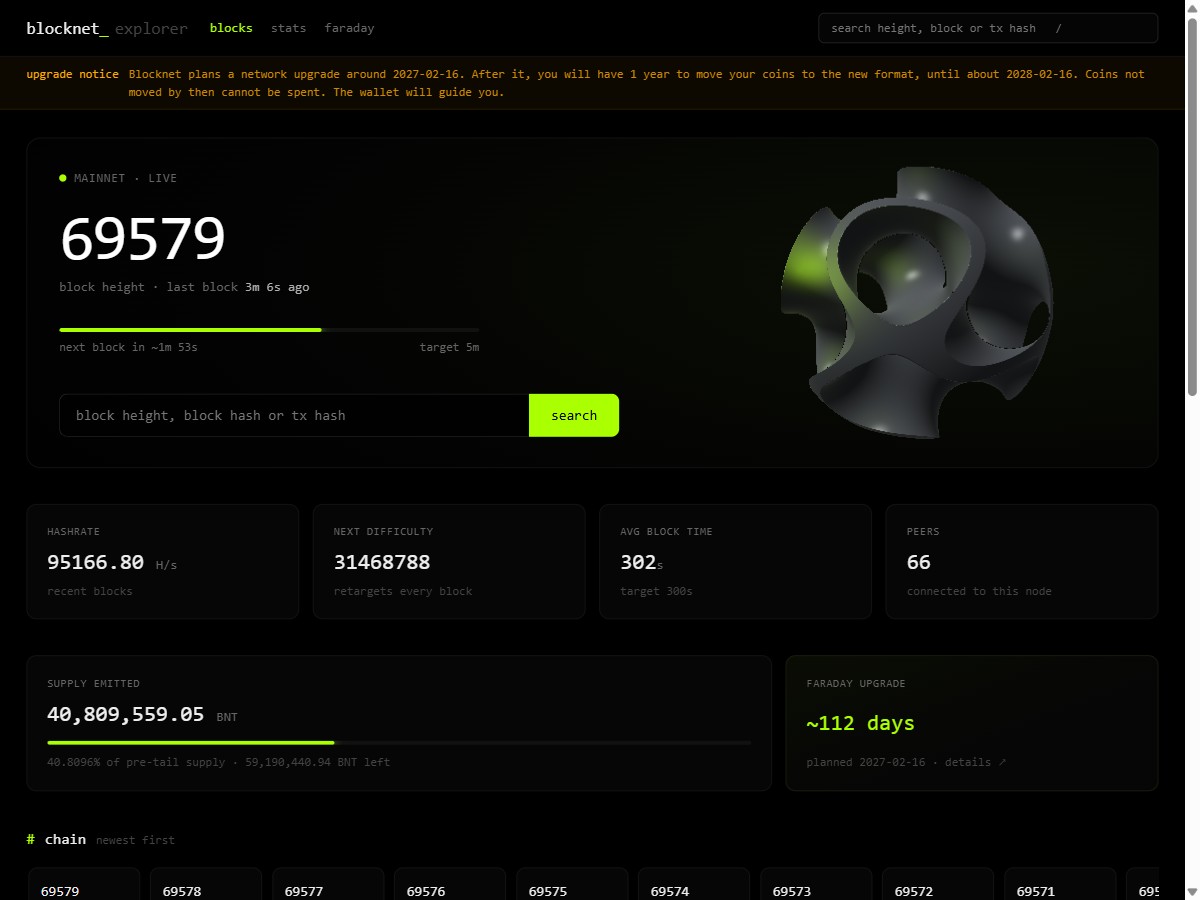
Copy the full transaction ID from your wallet or payout record into the official explorer’s search field. Open the matching transaction and check whether it is in the mempool or included in a block. Read its confirmations and public fields there, then use your wallet to verify the private payment details.
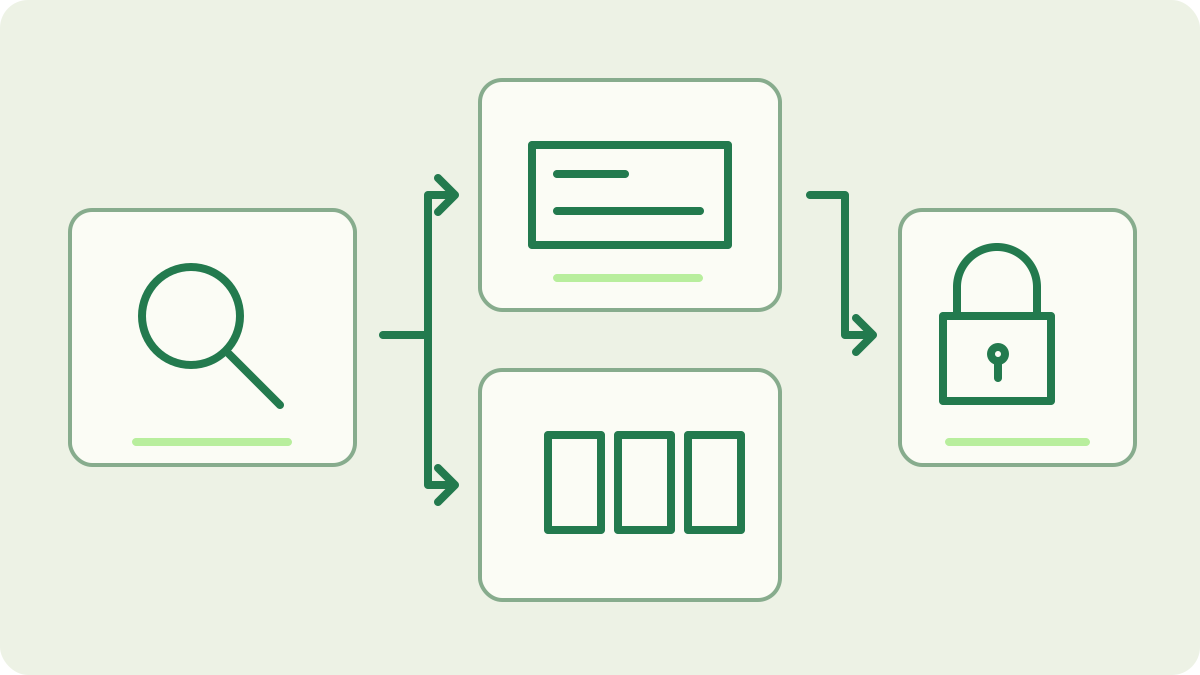
Start with the identifier for your question
Use a transaction ID to investigate one payment. Use a block height or block hash to inspect a block and its transaction list. The explorer accepts all three through its search. Copy the complete identifier from the source rather than the shortened text shown in a compact list. Confirm that your wallet and explorer refer to the same network.
The homepage also shows recent blocks, network readings and a mempool section. Begin with search when you already have an identifier; use those lists when browsing network activity. The send-and-receive guide explains where a completed send provides its transaction ID.
What does the transaction page show?
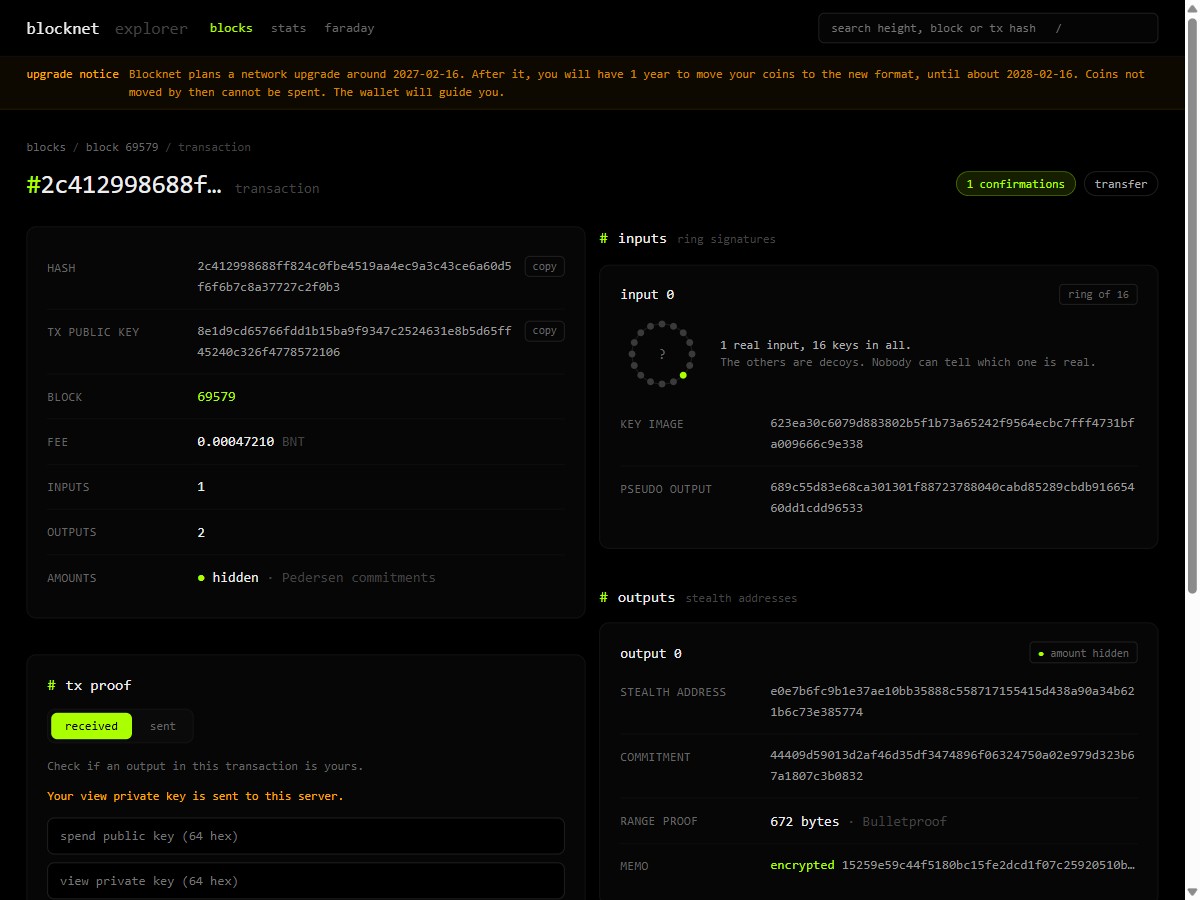
A transfer page identifies the transaction hash, transaction public key, block status, network fee and input/output counts. Read the hash first to confirm that you opened the intended transaction. The public key is another field with its own purpose; it is not a substitute search identifier for the transaction hash you copied from your payment record.
The example below is a real public transfer, not a payment made for this guide. Its fee belongs to that transaction, and its amounts remain hidden. The fee article explains the wallet’s calculation; this page teaches you to read the result recorded on the network.
Read pending and included transactions correctly
A transaction shown in the mempool is waiting for inclusion and has zero confirmations. Once a block contains it, the transaction page links to that block. In the reviewed explorer implementation, confirmations are the current chain height minus the containing height, plus one. The containing block therefore counts as the first confirmation.
For illustrative arithmetic, a transaction in block 100 has three confirmations when the current height is 102. These are example heights, not current network readings. Check the live count for your actual transaction. The confirmation guide explains how inclusion, reward maturity and wallet availability relate; the explorer’s count alone does not identify which outputs your wallet can spend.
Open the containing block for context
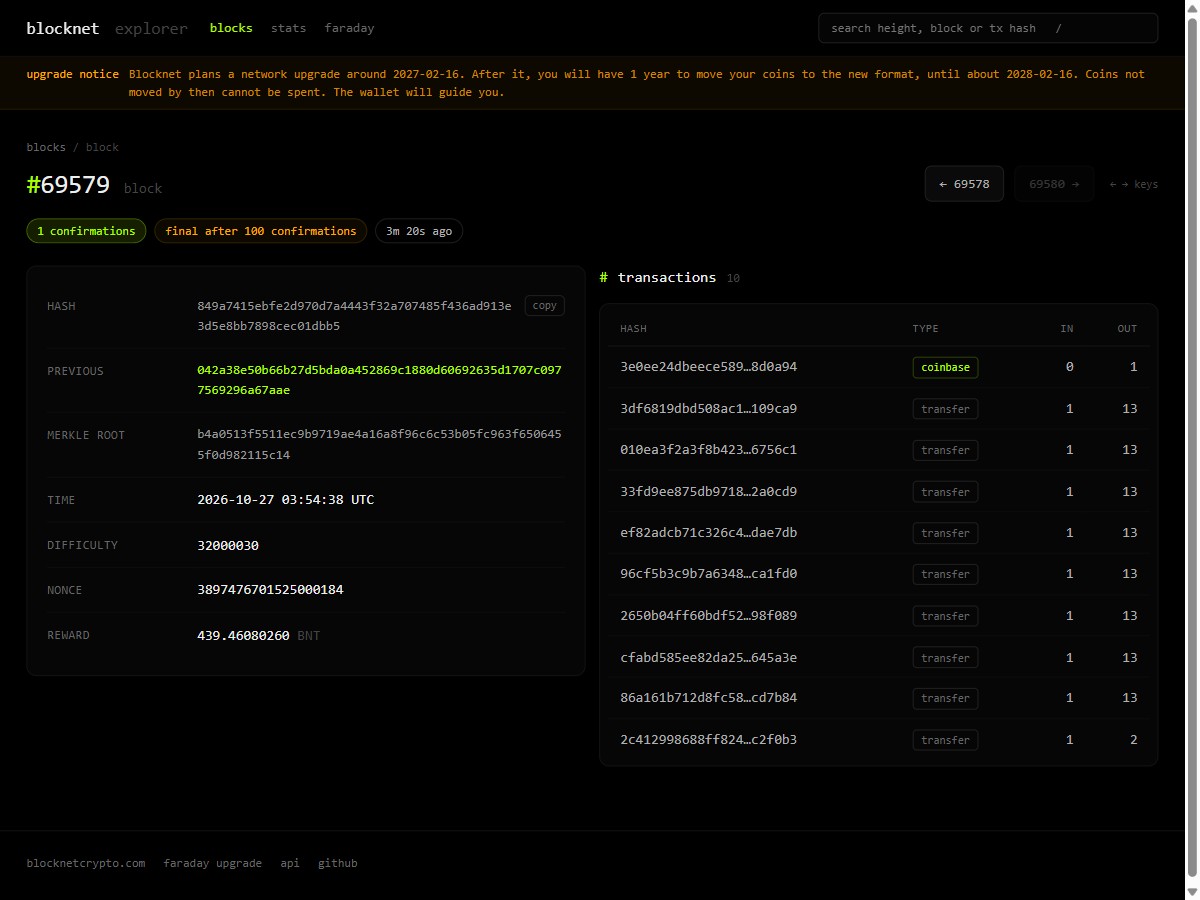
Follow the block link to inspect its height, hash, previous-block reference, timestamp, difficulty, reward and transaction list. The page distinguishes the coinbase transaction from ordinary transfers. Coinbase here means the block’s mining-reward transaction. A transaction list gives you a way to navigate from a block back to an individual transfer and verify its inclusion.
Use the previous and next block links to follow the chain around that record. The screenshot below shows a dated example; its displayed confirmation count continues to change on the live page. For the meaning of reward issuance, see the Blocknet reward schedule.
Understand which payment details stay private
For ordinary transfers, the public fee and input/output counts describe transaction structure. The recipient amount is hidden by commitments and proofs, and output keys are one-time destinations. An output’s displayed stealth key is not a public wallet-address balance. The privacy overview connects these fields to Blocknet’s current privacy mechanisms.
Use the receiving wallet’s history to identify its own payment and amount. Encrypted memo data on the explorer is not the readable invoice note. This lookup workflow needs only public identifiers. Keep recovery words and private keys in your wallet; the explorer’s separate proof tools are outside the steps here. Viewing inclusion and confirmations does not require filling a proof form.
Use network readings with their labels
Homepage hashrate, difficulty and average block time describe network activity. They are useful context when you are learning how blocks arrive. The peer count refers to the explorer’s node, rather than a census of every participant. Read a value together with its label and observation time, especially when comparing it with your own node’s status.
A target block interval or countdown is not an appointment for a particular transaction. Observe actual inclusion on the transaction page. For miner readings, the hashrate guide separates local hashing from network and pool estimates. For your own node’s progress, the node guide covers peer connections and synchronization checks. Those tasks use different measurements.
What if the transaction is not found?
Check the complete identifier and selected network first. Compare it with the sender’s wallet record or the pool’s payout transaction ID. A fresh transaction may not yet be visible to the explorer node, so recheck after allowing propagation and indexing time. A missing lookup result by itself does not establish that a new payment should be sent.
Return to the wallet to inspect the original operation and current history before taking another action. If you are tracing mining proceeds, follow the pool-to-wallet guide to distinguish credited pool balance, a sent payout and a scanned wallet receipt. Keep the transaction ID with that record so every check follows the same payment through the appropriate interface.
Frequently asked questions
Can I search the Blocknet explorer by wallet address?
The public search accepts a block height, block hash or transaction hash. For a specific payment, use its full transaction ID. Blocknet’s private outputs do not provide a public address-balance page like a transparent ledger. Your wallet identifies your received outputs and shows the corresponding amounts.
Does a transaction in the mempool have confirmations?
A mempool transaction is waiting for inclusion in a block and has zero confirmations. Once included, its containing block provides the first confirmation. Later blocks increase that count. Check the current transaction page and your wallet’s state rather than converting a block-time target into a guaranteed arrival time.
Why does the explorer show a fee but hide the payment amount?
The network fee is a public transaction field. Ordinary transfer amounts are hidden with commitments and proofs, and outputs use one-time keys. The explorer can therefore display the fee and transaction structure without displaying the recipient’s payment amount. Use your wallet for the private details of payments involving you.