
This guide helps you choose CPU mining threads that fit the memory available on your computer. It covers the 2 GiB allocation, automatic sizing in seine v0.2.26, and the checks to make when a manual setting cannot allocate memory. For chip comparisons and measured hashrates, use the hardware guide. The examples here are memory arithmetic, not performance measurements.
How much RAM does each mining thread need?
Each CPU mining thread needs a 2 GiB Argon2id memory arena. Add room for the operating system, applications and the miner itself. Start with seine’s automatic sizing, which considers available memory and CPU resources. A manual thread count must fit the memory actually available when you start mining.
GiB is a binary unit: 2 GiB is 2,147,483,648 bytes. The arena is reused across hashes; mining does not permanently consume another 2 GiB for every completed hash. More simultaneous threads require more arenas. The Argon2id explanation describes why the algorithm uses this working memory.
How do you calculate a thread budget?
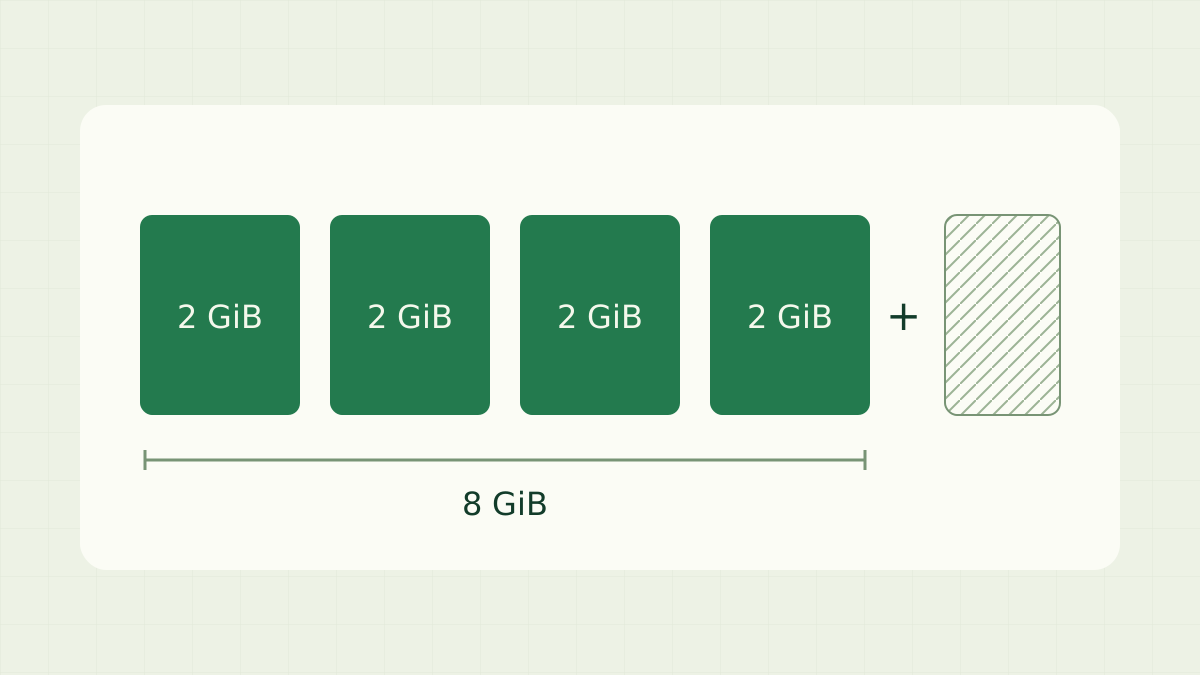
Multiply the planned CPU thread count by 2 GiB to get arena memory. The table excludes system memory and other overhead. Use these rows to calculate arena allocations; choose your actual thread count from available memory and measured throughput.
| CPU threads | Arena memory only |
|---|---|
| 1 | 2 GiB |
| 2 | 4 GiB |
| 4 | 8 GiB |
| 8 | 16 GiB |
| 16 | 32 GiB |
For example, four threads need 8 GiB for their arenas. They therefore need a machine with more than 8 GiB available to cover the rest of the process and system. If you deliberately set aside 4 GiB of a 16 GiB machine, the remaining 12 GiB can hold six arenas by arithmetic. That example is a budget choice, not a promise that six threads deliver the best hashrate.
Check available memory while your usual applications are open. Windows Task Manager, macOS Activity Monitor and Linux memory tools show current usage. A virtual machine or container can have a smaller memory allowance than its host. Use that effective allowance when planning the miner; the host’s advertised RAM is not automatically available inside a restricted environment.
How does seine choose threads automatically?
For a first CPU-only run, leave the thread count unset. From your extracted Linux or macOS folder, run the following command. On Windows use the same flags with the executable in PowerShell. The setup guide covers downloading and entering your receiving address.
./seine --backend cpuIn v0.2.26, automatic sizing and tuning leave a default reserve of 5% of the effective total RAM, in addition to accounting for memory already in use. CPU resources also bound the count. To let tuning choose within a smaller range, set an upper bound:
./seine --backend cpu --cpu-autotune-max-threads 4The value four is an example ceiling, not a universal setting. The tuner can choose fewer threads. Watch the selected thread count and average hashrate in the dashboard after startup. Automatic tuning measures your actual configuration, so allow it to settle before judging a change from a short hashrate fluctuation.
When should you set a fixed thread count?
Use a fixed count when you have a specific memory budget or want a repeatable configuration. This example selects two CPU threads, requiring 4 GiB for their arenas plus other memory:
./seine --backend cpu --threads 2An explicit --threads setting disables ordinary automatic thread selection unless you also explicitly enable tuning. It overrides the automatic reserve policy, so leave your own headroom. The miner still performs its memory checks. A count that fits installed RAM can still exceed currently available memory after other applications have started.
Change one setting at a time. Record the thread count, available RAM and average hashrate under comparable workloads. If you want automatic selection again, remove the fixed thread argument and any saved override. The v0.2.26 configuration reference explains how command-line and saved settings are applied.
What should you check after a memory allocation error?
First read whether the message describes the effective memory limit, currently available memory, or an explicit large-page allocation. These point to different checks. Close applications you no longer need, reduce the requested threads, and start again with a budget that leaves room for normal desktop use.
If a container or virtual machine has a memory limit, check its assigned memory as well as the host. A 1 GiB allowance cannot hold a single 2 GiB arena. Increasing a swap file does not change the arena requirement; plan CPU mining around sufficient physical memory available to the process.
If you selected --cpu-page-mode large or --cpu-page-mode large-1g, confirm that the requested reserved page pool is available. Those explicit modes require their requested backing. Follow the huge-pages guide for configuration, or return to automatic page selection while establishing a working baseline. Keep page setup separate from thread-count changes.
Does GPU memory count toward the CPU budget?
On a discrete NVIDIA card, GPU mining arenas live in the card’s VRAM. CPU threads still allocate system RAM. Size each resource separately when running CPU and GPU mining together; unused VRAM is not extra RAM for CPU arenas. The NVIDIA guide covers GPU setup and lane selection.
On Apple Silicon, the CPU and GPU share unified memory. Do not count that capacity twice when planning other workloads. Follow the Mac guide for the supported CPU setup. Memory capacity determines what can fit; measured throughput determines which configuration works best on your machine.
What should you verify before leaving the miner running?
Check that the selected threads fit your budget, normal applications remain responsive, and accepted pool shares arrive. A larger allocation alone does not establish better performance. Keep the configuration that works for your workload, then use the pool tracking guide to confirm that the receiving address shows recent work.
Frequently asked questions
How much RAM does one Blocknet mining thread use?
Each CPU mining thread needs a 2 GiB Argon2id arena. That is the mining memory block, not the computer's entire memory requirement. Leave additional RAM for the operating system, other applications and miner overhead. Use available memory when planning threads, rather than dividing installed RAM by two.
Can I mine Blocknet with 8 GB of RAM?
You can run CPU mining when enough memory is available for at least one 2 GiB arena plus the system and miner. An 8 GB label alone does not determine the thread count. Start with automatic sizing, then check the actual available memory and selected threads on your machine.
Do huge pages reduce the RAM needed per thread?
Huge pages change how the operating system maps the mining memory. They do not reduce the 2 GiB arena required by each CPU thread. Choose a memory budget first, then follow the separate huge-pages guide if you want to configure explicit large pages on a supported system.