
Follow a Blocknet payment through the stages that matter to its sender and recipient: submission, inclusion in a block, and a spendable wallet balance. This guide explains the timing shown by released core and desktop wallet v0.22.0, checked on October 27, 2026. Keep the payment’s transaction hash so both people can follow the same transfer.
How long does a Blocknet transfer take?
Blocknet targets five-minute blocks. After an ordinary payment enters a block, the released wallet waits until ten more blocks have been added before making its funds spendable: about 50 minutes at the target interval, plus the earlier wait for inclusion. Actual block times vary. Follow the transaction and your wallet’s spendable balance instead of a fixed deadline.
Follow the payment through three stages
First, the sender reviews and confirms the payment in their wallet. Keep the transaction hash returned for that send. A transaction waiting in the node’s mempool has been received by that node and is waiting for block inclusion. Its presence there does not promise that the next block will contain it. The sending and receiving guide covers preparing and approving the payment.
Second, the transaction enters an accepted block. Its detail can now show Confirmed, together with a block height and a confirmation count. This is useful evidence of inclusion. The recipient’s wallet identifies its own incoming output as it scans the chain.
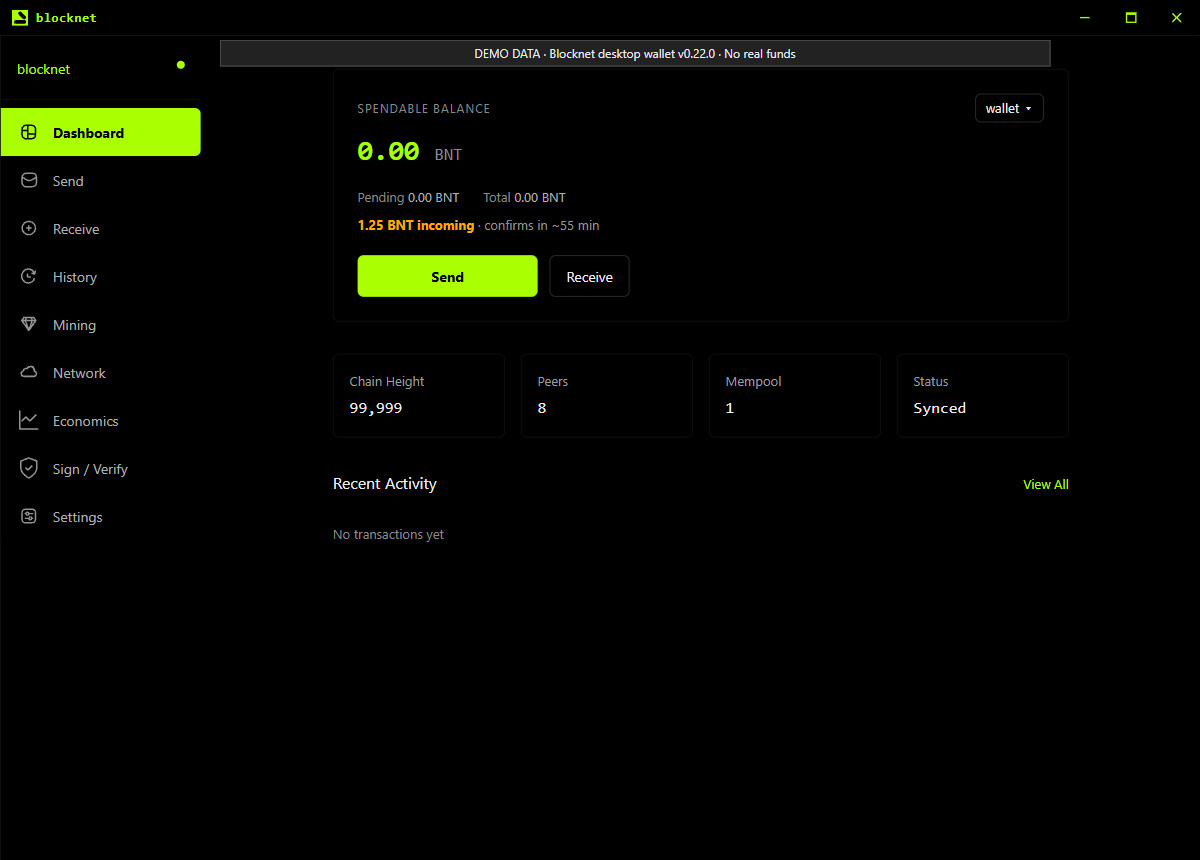
Third, enough later blocks arrive for that output to become spendable under the wallet’s rules. The recipient can then use the amount shown in Spendable Balance. Before inclusion, the dashboard can show a separate unconfirmed-payment notice when the local wallet detects an incoming mempool payment. The screenshot below uses the actual released interface with labeled local demo data.
Why can a confirmed payment still be pending?
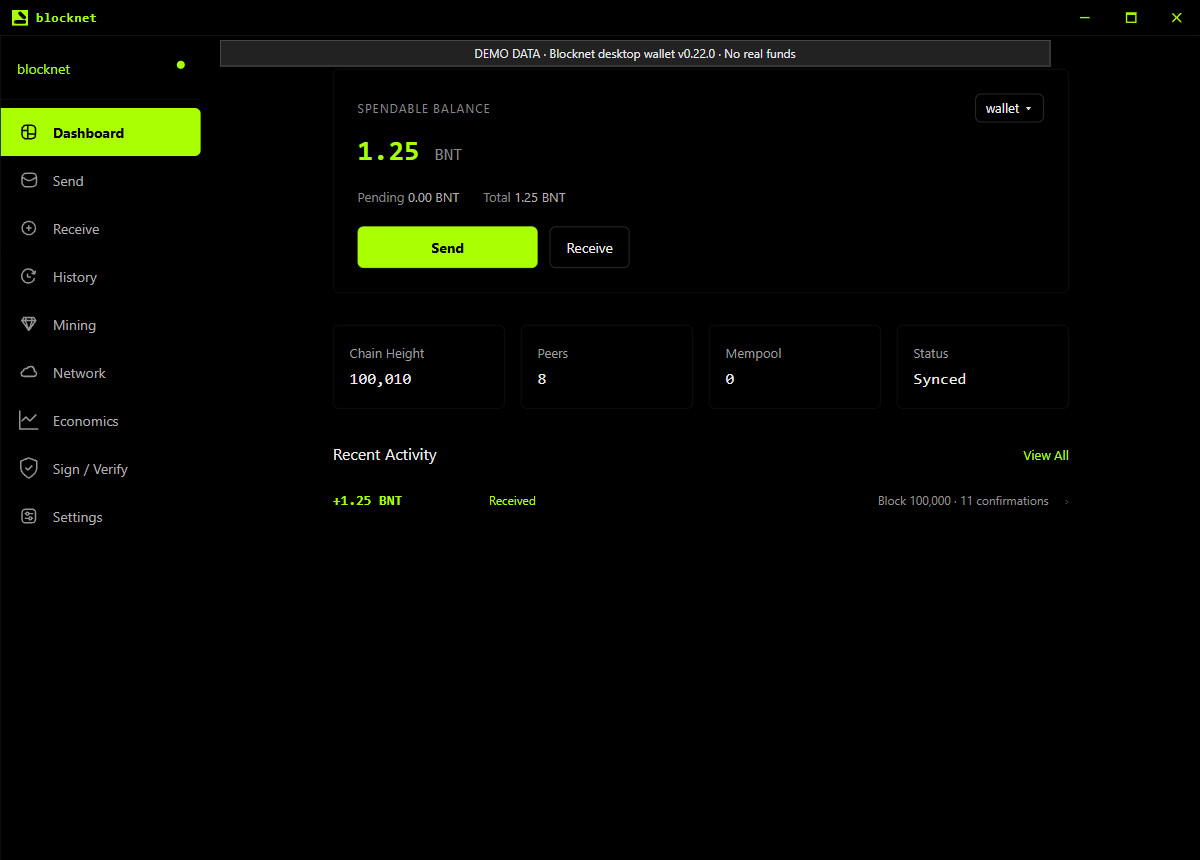
The released wallet’s maturity check uses the current chain height minus the output’s containing-block height. An ordinary unspent output becomes mature at a depth of ten blocks. A payment included in block 100,000 reaches that depth when the chain tip reaches 100,010. Those heights illustrate the rule; they are not a live payment report.
The transaction-detail API counts the containing block as confirmation one. The wallet’s spendability calculation starts at depth zero in that same block. Consequently, the detail can display eleven confirmations when the ordinary output reaches the wallet’s ten-block depth requirement. Use the dashboard’s spendable reading to decide whether the received funds are ready to use.
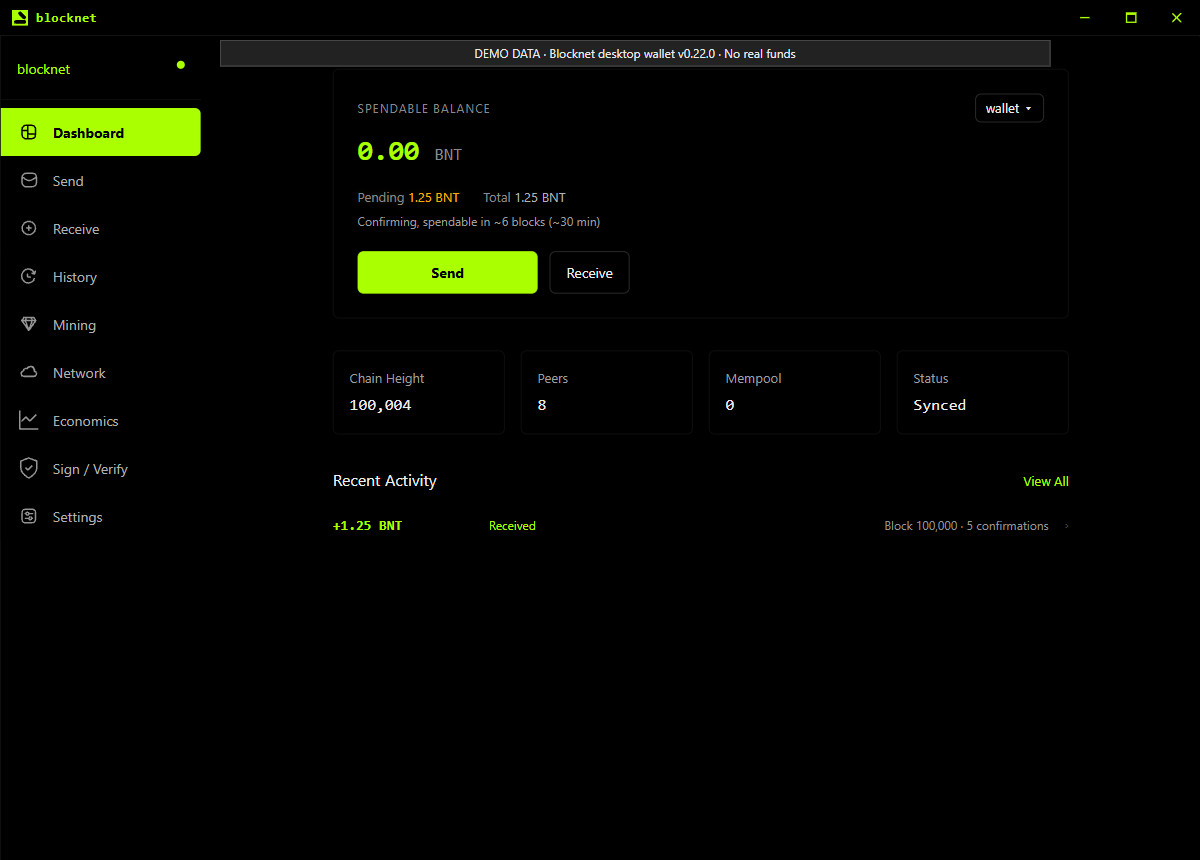
In the example below, the payment has been included and four later blocks have arrived. The transaction detail would show five confirmations, while the dashboard keeps the illustrative 1.25 BNT in Pending and shows about six blocks remaining. Both screens describe the same payment at different stages of readiness.
How should I read the time estimate?
Ten blocks multiplied by the five-minute target gives about 50 minutes after inclusion. The earlier wait for the transaction to enter a block comes before that. This arithmetic explains the order of magnitude; it is not a measured average from a sample of payments or a guaranteed delivery time.
The released dashboard also converts remaining blocks into an approximate time. In the example with six blocks left, six times five gives about 30 minutes. The chain still needs to produce those blocks. A countdown reaching zero does not itself add a block or make an output spendable. Recheck the current chain progress and balance.
An incoming-payment notice may appear before the transaction has been included. Treat its estimate as guidance about progress, then follow the containing block and the spendable balance. Wallet synchronization and scanning also affect when your local screen reflects what the network has already done.
Where should the sender and recipient check?
The sender should open History, find the outgoing payment, and keep its TX Hash. The recipient can use that same hash to identify the incoming transfer. If both people are discussing a payment, matching the hash avoids confusing it with another send to the same address.
The Blocknet explorer guide shows how to look up a transaction and its containing block. The public lookup helps check network inclusion. The recipient’s wallet supplies the private receipt and balance details belonging to their keys. Use the wallet when checking the amount you received.
On the receiving computer, open the intended wallet and compare Your Address under Receive with the destination the sender used. Then check node synchronization and wallet scanning before judging a missing entry. A wallet that was closed can need time to discover payments that have already progressed on the chain.
When can I send the received BNT onward?
Wait for the receipt to contribute to Spendable Balance on a synchronized Dashboard. You can also read Pending and Total to see how the wallet divides its recorded funds. If you already had other funds, some balance may be spendable while this particular receipt is still pending. Use the matching history entry when following one transfer.
The screenshot shows the same demo payment once ten blocks have been added after its containing block. Its 1.25 BNT is now spendable and the pending amount is zero. These screenshots illustrate the released frontend; they do not measure a real transfer’s elapsed time. When preparing your next payment, review the amount and fee in the wallet before approving it.
What should I check if the payment has not appeared?
Use the stage you can verify. Ask the sender for the existing transaction hash, check its inclusion, and compare the receiving destination. Then follow wallet synchronization and scanning checks if the local history or balance has not caught up. Keep the original transaction record while checking; creating another send is a separate payment.
For mining income, first distinguish an earned pool reward from a payout already sent to your address. The mining-reward confirmation guide explains the separate 60-block maturity stage for newly mined coins. Once the pool sends an ordinary payout transaction, follow that transaction’s own inclusion and wallet spendability. The missing-payout guide connects the pool record to the receiving wallet.
The completion check is simple: identify the intended wallet, match the payment’s transaction hash, and check the spendable balance after synchronization and scanning. This guide describes the currently released rules. The Faraday guide tracks the announced future network changes separately.
Frequently asked questions
Is a Blocknet payment spendable after its first confirmation?
In the reviewed core v0.22.0, the wallet makes an ordinary received output spendable when the chain tip is ten blocks beyond its containing block. The transaction detail can already call it confirmed when it enters a block. Check Spendable Balance after synchronization and wallet scanning finish before sending those funds onward.
Does closing my wallet delay the sender’s payment?
The network can include a payment to your address while your wallet is closed. When you reopen it, the node and wallet need to catch up before the displayed receipt and balance are current. Keeping the wallet open helps you watch progress, but the network’s blocks determine confirmation depth.
Does an ordinary transfer need the mining reward’s 60-block wait?
An ordinary transfer uses the wallet’s ten-block depth rule in the reviewed release. Newly mined coinbase outputs have a separate 60-block maturity rule. A pool payout is a later payment transaction after the pool handles its reward accounting. Follow the payout transaction itself once the pool has sent it.