
Choose how you want to get your first BNT: receive a payment from someone, or contribute mining work with a computer you already have. Both routes end at a Blocknet wallet address you control. This guide helps you choose a route and recognize the first incoming payment, with links to the full setup instructions when you need them.
How can I get my first Blocknet?
Set up a Blocknet wallet and save its recovery information. You can then share your public address with someone sending you BNT, or use that address for mining payouts. Follow the payment into your wallet’s history, let synchronization and scanning finish, and check the spendable balance before sending funds onward.
Start with a wallet you can return to
Open the official desktop wallet releases and choose the download for your computer. If you already have a wallet, open that wallet. For a new wallet, complete the recovery-word backup before sharing its address. The desktop wallet walkthrough shows the create, open and backup screens. Keep the password and recovery information where you can retrieve them later.
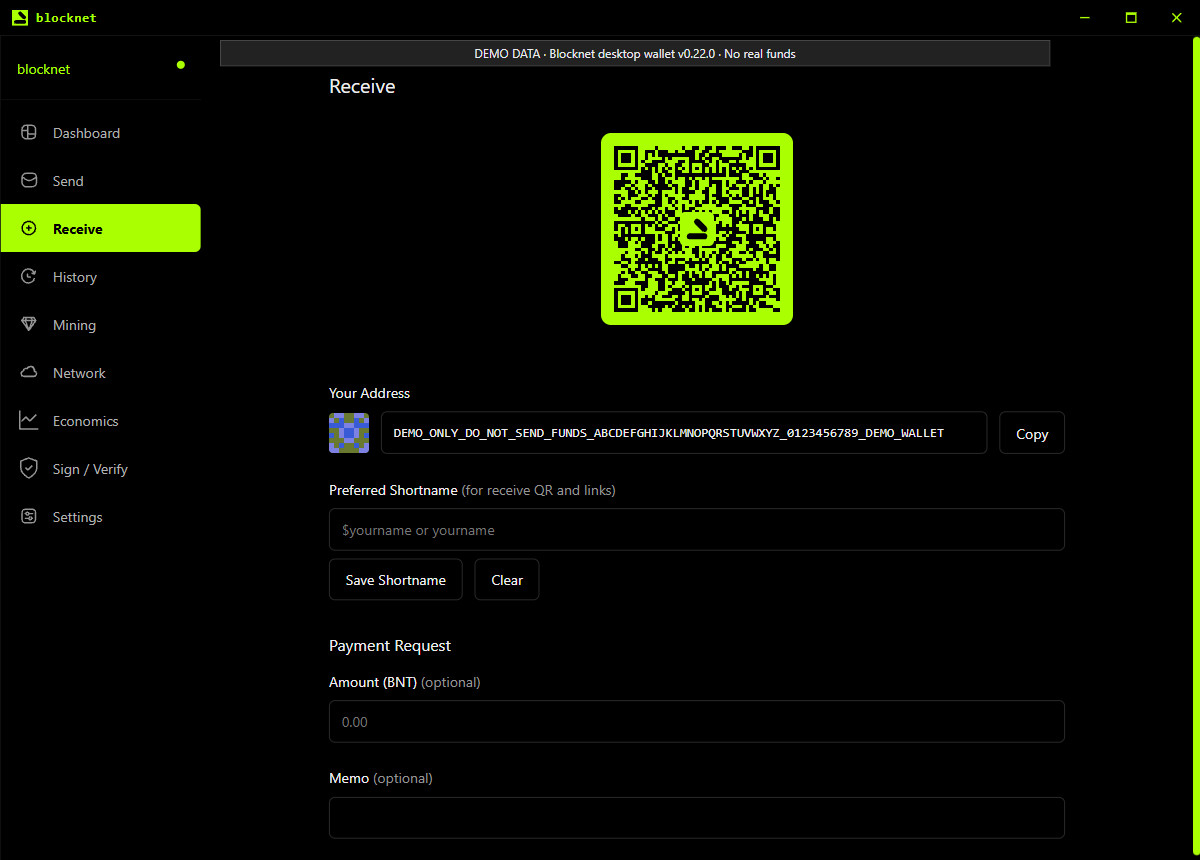
Open Receive and copy the value under Your Address. Check the copied text against the destination displayed in the wallet. This public address is what a sender or mining pool needs. Your recovery words, password and wallet file stay with you. The screenshots here use desktop wallet v0.22.0 with clearly labeled demo data; their addresses and amounts are examples, not payment instructions.
Can someone send me BNT without mining?
Yes. If someone is sending you Blocknet, give them your public receiving address and agree on the amount. You can receive a personal transfer or a payment for something you provided. Copying the full address is enough to start; optional names, memos and payment links can wait until you want them.
Ask the sender to check the destination and amount in their wallet’s payment review. After they send, keep the transaction hash so you can identify that payment. A hash is useful for following the transaction, while your wallet shows the amount belonging to you. The sending and receiving guide covers the sender’s review and the recipient’s checks in detail.
You can close your wallet between uses. When you next open it, allow its node to synchronize and its wallet scan to catch up. Those steps let the application find payments made to your address while it was closed. You do not need to start a miner to receive a transfer.
How do I get BNT by mining with my computer?
Use your wallet’s public address as the payout destination in seine. Start with the computer you already have and follow the Blocknet mining guide for your operating system. It takes you from the release download to the first accepted shares on bntpool.com. The memory guide helps you check how much RAM is available for mining alongside your other applications.
An accepted share is the first useful milestone: it shows that the pool accepted work from your miner. Look up the same receiving address on the pool’s My Stats page to follow the account. Keep that address consistent between the wallet, miner configuration and pool lookup so you are watching the right destination.
Your miner can run on a different computer from your wallet. Pool mining needs the public payout address on the mining machine; your wallet’s recovery material stays on the computer where you manage it. The wallet, node and miner guide explains which application needs to stay running for each job.
Follow mining work through to the first payout
Pool rewards pass through several stages. Your accepted work can earn a share of a block found while that work is eligible. The reward then matures, and the pool sends a payment once the confirmed balance meets its payout threshold. Read the current settings and timing in the bntpool.com payout guide.
Follow the stage your account has actually reached. Accepted shares show mining progress; estimated and confirmed rewards show pool accounting; a sent payout has a transaction you can follow into your wallet. This makes the next check clear without treating every pool reading as money already received.
The first-payout time depends on your contribution, the blocks the pool finds, reward maturity and the payout threshold. Use your account’s progress instead of a promised countdown. Once a payout is sent, keep its transaction hash and continue with the wallet checks below.
Where do I see my first incoming payment?
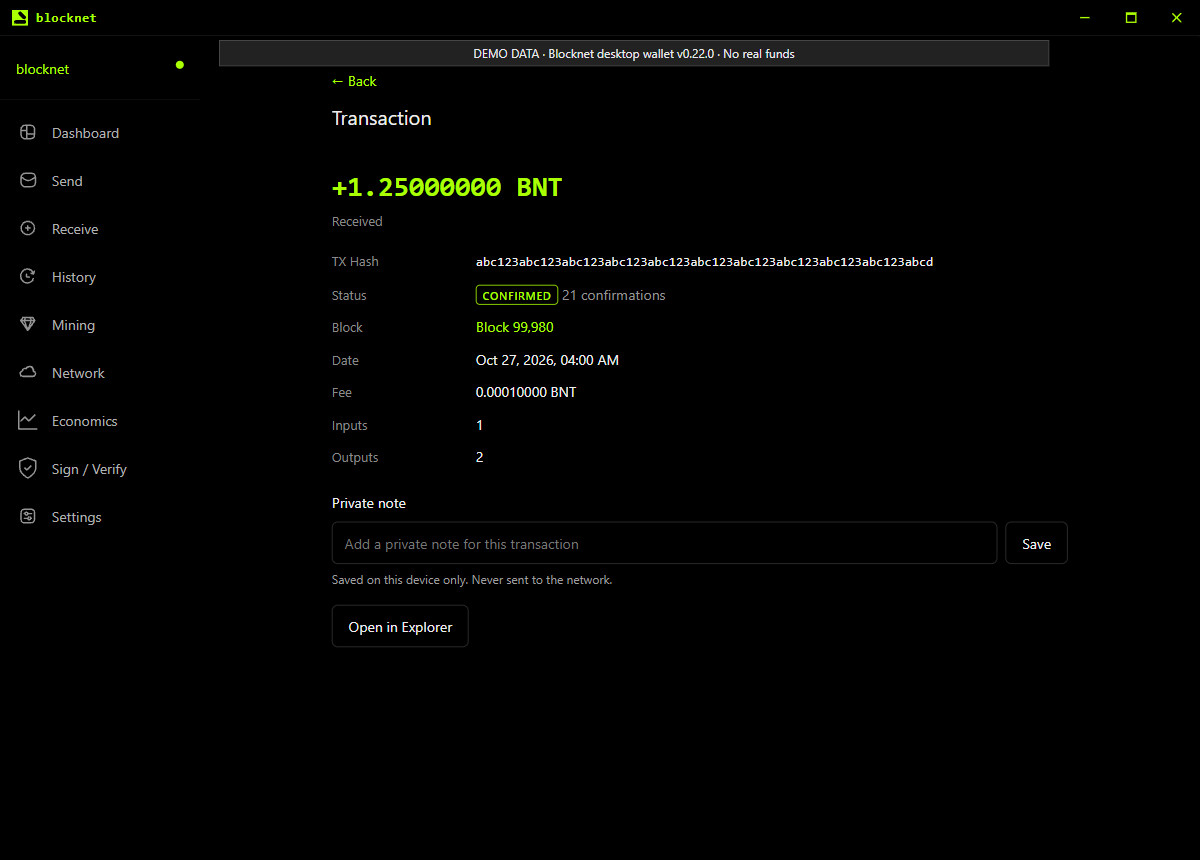
Open History in the wallet and find the incoming entry. Select it to inspect its transaction hash, status, block and confirmations. Match the hash with the one provided by the sender or listed for the pool payout. If you have more than one wallet, first check that you opened the wallet whose address received the payment.
The screenshot shows a single received payment of 1.25 BNT in a local demo wallet. This amount illustrates the screen; it is neither a required first payment nor a mining estimate. The history entry gives you a specific receipt to follow rather than relying only on the total balance.
When can I use the BNT I received?
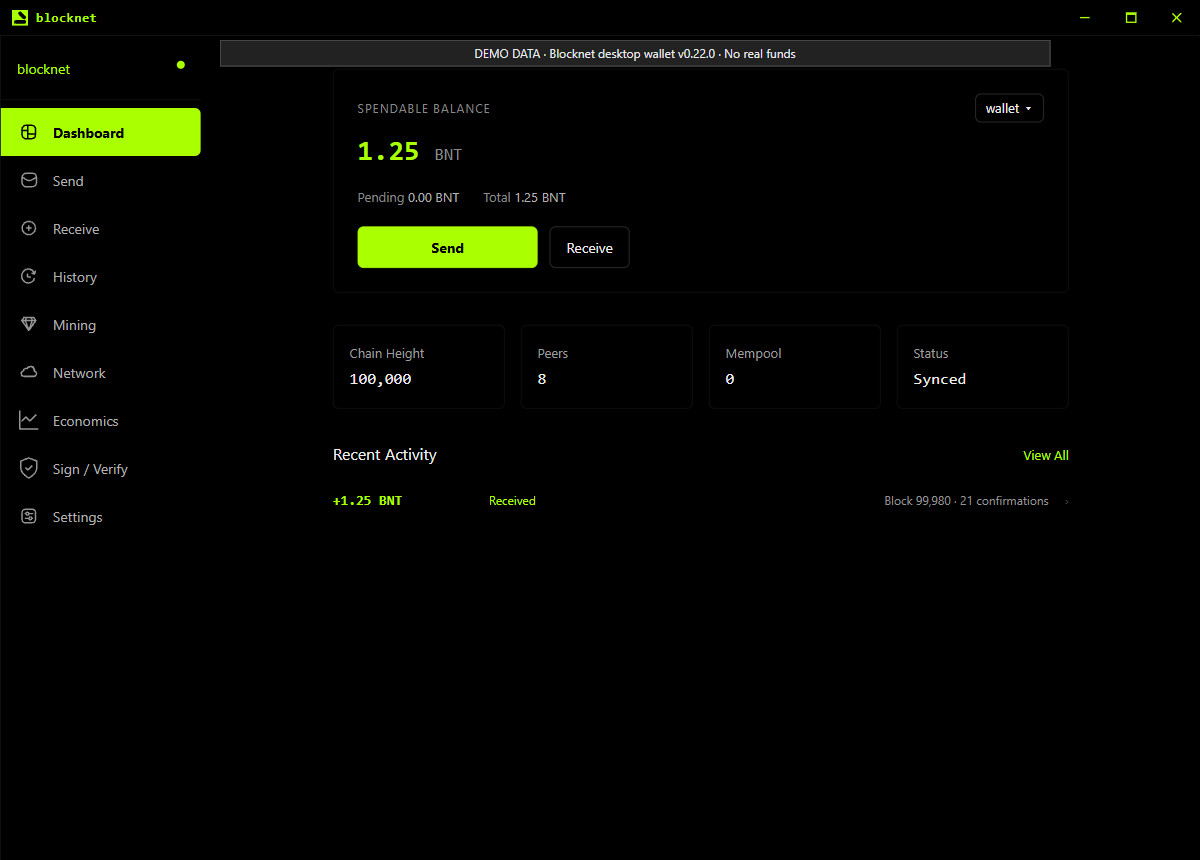
Check Dashboard after the node has synchronized and the wallet has finished scanning. Spendable Balance tells you what the wallet can currently use for a payment. Pending and Total provide other views of your funds. Let a pending receipt become spendable before planning to send it, and leave room for the fee shown in the payment preview.
The demo below shows the same 1.25 BNT after it is spendable. If an expected receipt is absent, work through wallet synchronization and balance checks. For a pool payment already marked sent, the missing-payout guide follows the transaction and destination. Both routes help you identify the stage that still needs to complete.
Keep a simple first-payment record
You have completed the first-receipt journey when you can identify the destination wallet, find the incoming transaction and read its spendable balance. Keep your recovery backup separately, and retain the transaction hash if you need to discuss that payment. You can now use the payment guide when you want to send some BNT, or continue mining to the same receiving address.
Frequently asked questions
Do I have to mine to receive Blocknet?
You can receive Blocknet from another person without running a miner. Create or open your wallet, save its recovery information and share the public receiving address. After the sender pays, let your wallet synchronize and scan, then check the incoming transaction and spendable balance.
Does my Blocknet wallet need to stay open to receive BNT?
A sender can pay your address while your wallet application is closed. When you open it again, the node and wallet need to catch up before the displayed balance reflects that payment. If you mine through a pool, keep the miner running for continued work; the receiving wallet has a separate role.
When will my first mining payout appear in my wallet?
First accepted shares show that the pool is recording your work. A wallet payment comes later, after eligible block rewards mature and your confirmed pool balance meets the payout threshold. Follow the pool’s payout record, then check the corresponding transaction in your synchronized wallet. There is no fixed first-payout time.