
Measure your own machine with seine’s built-in benchmark and keep a record you can compare later. This guide uses the public v0.2.36 release and a CPU-only example, with no new hardware result claimed. Install the miner first using the setup guide. For measured machines and their original conditions, see the hardware guide.
How do you benchmark seine?
Run seine with --bench, select a backend and measurement mode, include warmup rounds, and save a JSON report. Repeat the same workload under comparable conditions before changing one setting. The benchmark works locally without a pool or daemon; check accepted shares separately when you return to normal mining.
Prepare a consistent starting point
Record the seine version, operating system, exact processor, usable RAM and command before testing. If you include an NVIDIA GPU, record its model and driver too. Choose a time when the machine can keep a similar background workload throughout the comparison. A game, compilation or another miner running during only one test changes the conditions you are measuring.
Decide what you want to learn before choosing settings: a useful CPU baseline, a thread-count comparison or the effect of page backing. Keep CPU placement, power settings and memory configuration consistent unless that is the variable being tested. The RAM guide explains capacity planning, and the huge-pages guide owns operating-system page preparation. Record the page mode actually obtained, as well as the requested option.
Run a CPU benchmark and save its report
From the extracted miner directory, the first command below works on Linux or macOS; the second uses Windows PowerShell. Both select CPU-only backend measurement, one warmup round and three measured rounds, with a requested 20 seconds per round. The output filename is relative to your working directory. Use a new filename for each subsequent run so earlier evidence stays available.
./seine --bench --bench-kind backend --backend cpu --bench-secs 20 --bench-rounds 3 --bench-warmup-rounds 1 --bench-output cpu-baseline.json.\seine.exe --bench --bench-kind backend --backend cpu --bench-secs 20 --bench-rounds 3 --bench-warmup-rounds 1 --bench-output cpu-baseline.jsonThese commands leave CPU thread and kernel selection automatic. The benchmark’s preparation and tuning can add time before the rounds, and work already in flight can finish after a requested interval. Allow the process to finish writing cpu-baseline.json. The warmup round prepares the workload and is excluded from the measured-round summary. The full command’s runtime can therefore exceed the four requested round intervals; a 20-second setting is not a promise about total execution time.
What should you read in the benchmark report?
Read the selected mode, effective settings and individual rounds before the summary rate. The JSON includes avg_hps, median_hps, min_hps, max_hps and runs, together with configuration and environment information. Keep the original file rather than transcribing only its largest number. The flag reference documents report output and baseline-comparison options for this release.
Hashrate expresses completed work per second. A useful comparison keeps both the work counted and the elapsed-time definition consistent. Inspect actual duration and the spread between rounds; a single high reading does not summarize the whole test. If samples vary substantially, repeat under steadier conditions or use longer rounds. Describe the measured configuration when sharing a result so another reader can understand what the number represents.
Compare one change with repeated pairs
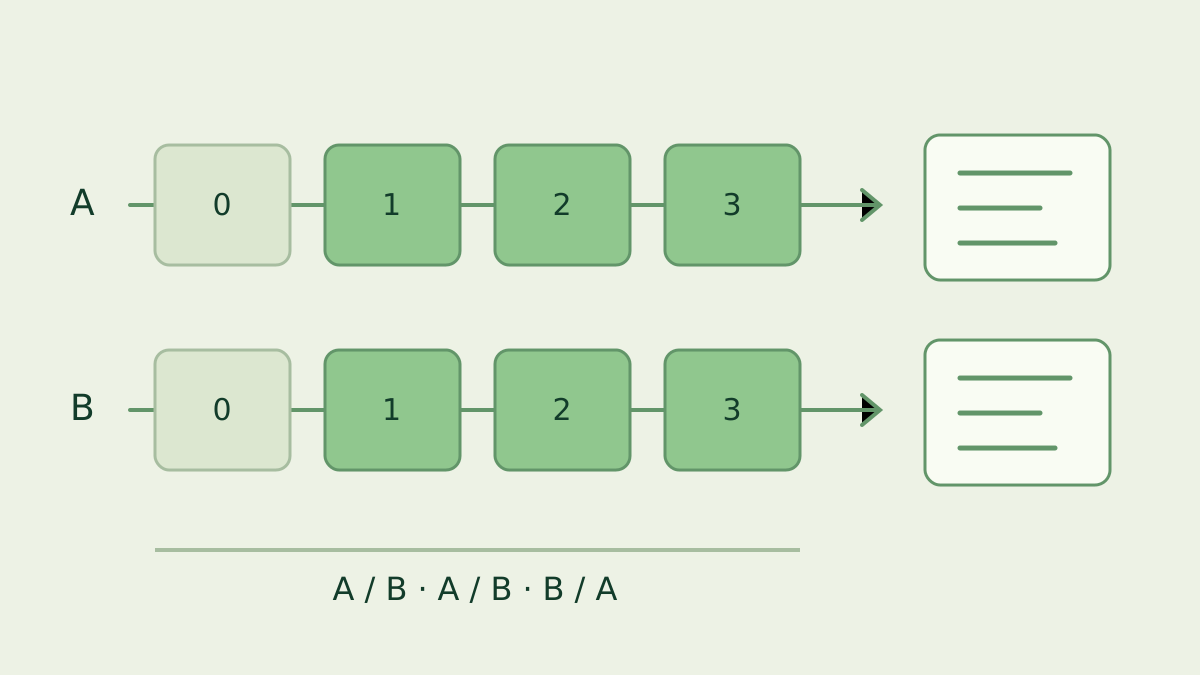
Call the original configuration A and the changed one B. Run A then B, repeat the pair, and alternate which configuration goes first across pairs. Keep the same round duration and warmup policy. Save distinct reports such as cpu-a-1.json and cpu-b-1.json. This procedure helps expose a result that follows run order or changing conditions rather than the setting you intended to test.
Choose a cache policy and apply it to both sides: a first launch with fresh tuning data and a restart with saved tuning choices answer different questions. Preserve your everyday data directory and use clearly separated test directories if you need fresh-state comparisons. The automatic tuning guide explains cache reuse. For a deliberate fixed-count test, --threads changes the tuning behavior; record that choice instead of comparing it silently with an automatic run.
Why must the benchmark modes match?
The backend mode exercises mining backends, while kernel focuses on the hash-computation path. The kernel-effective mode includes lifecycle timing and the backend target/evaluation path. These scopes answer different questions, even on the same machine. A rate from one scope should carry its mode label when placed beside another rate; matching units alone do not make the measurements equivalent.
The end-to-end mode includes more of the mining lifecycle. Keep the release and report timing semantics consistent as well as the mode. Seine’s benchmark lab documentation explains the paired-run tools, environment records and compatibility checks for deeper investigations. Use those tools when a decision depends on a small difference, and retain the full set of runs instead of selecting the fastest attempt.
Return to mining and verify useful work
After the benchmark exits, start your usual mining command with the intended address and data directory. Check the device rows and accepted-share messages in the dashboard. Benchmarking measures local performance; an accepted-share check verifies that the normal session is connected and delivering work. Keep these two checks together when documenting a setting you plan to use every day.
Pool hashrate is estimated from arriving shares over time, so it is a separate observation from a short local benchmark. Follow credited activity with the pool tracking guide. A useful saved test record contains the release, command, machine, memory/page settings, cache policy, background conditions and all JSON reports. That record makes your next comparison easier to reproduce and interpret.
Frequently asked questions
Does a seine benchmark submit shares to a pool?
No. The --bench option runs a local benchmark instead of live mining, so it needs neither a pool nor a daemon. Its report measures the selected local workload. Start a normal mining session afterward to check the pool connection and accepted shares separately.
Which benchmark mode should I start with?
Start with backend mode for a practical test of the selected mining backends. Keep the same mode, release and settings across comparisons. Kernel, kernel-effective and end-to-end measure different scopes; compare like with like and retain the mode and timing information alongside every reported hashrate.
How do I make two benchmark runs comparable?
Use the same machine, release, backend selection, memory settings, background workload and tuning-cache policy. Change one setting at a time, repeat both configurations in alternating order, and retain every report. Warmup and multiple rounds improve the procedure, but one short run cannot establish a small performance difference.