
Understand what seine is doing when its CPU thread count changes during mining. This guide follows the public v0.2.36 release and explains productive tuning, saved choices and memory adjustments. For installation, start with the mining guide; for the meaning of each panel, use the dashboard tour.
How does automatic CPU tuning work?
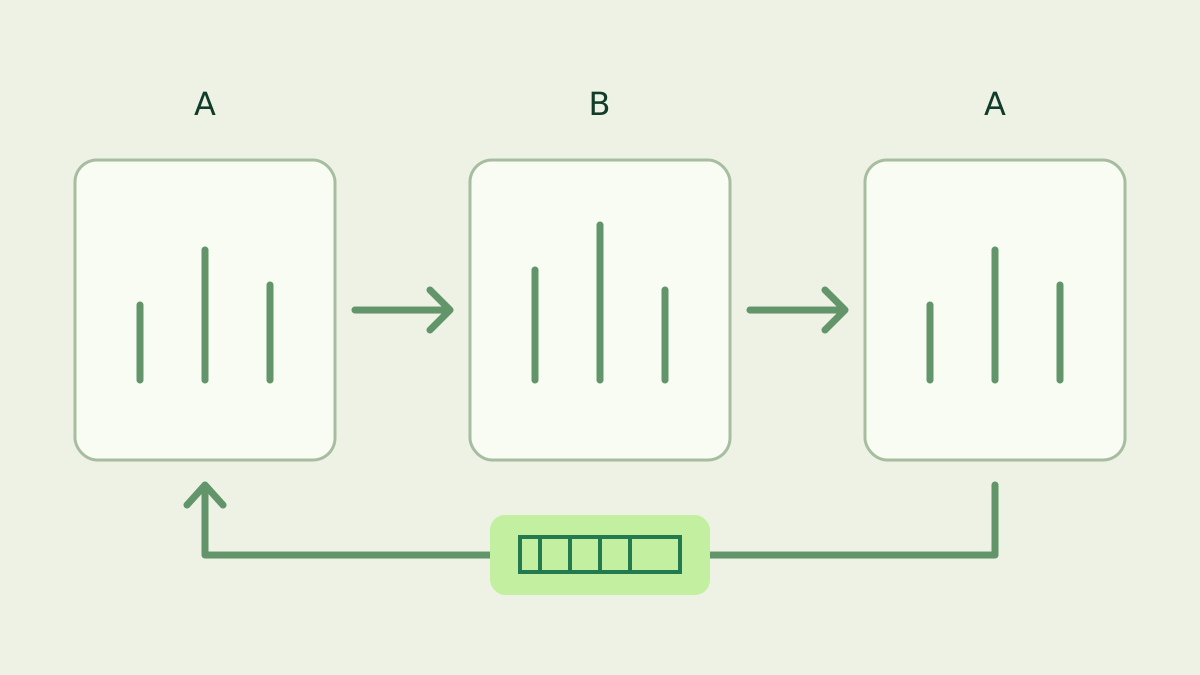
With CPU tuning enabled, seine starts mining from a compatible saved count or a hardware-based estimate, then compares settings using real mining work. It measures a baseline, tries a candidate and measures the baseline again. Available RAM and configured bounds constrain the search as it learns which settings suit the machine.
Mining starts before the search finishes
Leave --threads unset to use automatic thread tuning. During normal mining, seine chooses an initial count within the current resource budget and begins useful work without an offline thread-count sweep. A compatible cache can supply that starting point. A fresh machine starts from the miner’s estimate and improves that choice through subsequent comparisons.
Each trial measures completed hashes over elapsed time. New arenas finish an initial hash before their measurement window begins. The baseline–candidate–baseline sequence helps distinguish a setting’s effect from changing conditions. Substantial baseline drift, changing memory limits or sustained loss of work can discard a comparison. A short spike on the dashboard is therefore only one observation within a longer decision.
Why can more threads stop helping?
Each active CPU thread uses a large memory arena, and those threads share the machine’s memory bandwidth. Adding threads gives the miner more simultaneous work, but the useful result depends on the whole system. The tuner compares aggregate CPU H/s rather than assuming the largest thread count must deliver the highest rate. The RAM guide explains the memory budget.
The default profile is balanced. Profiles control tuning policy and runtime defaults; efficiency is an explicit choice for a policy that can favor fewer threads. Keep one profile while evaluating a run. Thread count, CPU placement and page backing interact, so a result from another machine or another configuration is a starting reference rather than a setting to copy automatically.
What happens when other programs need RAM?
The automatic memory budget changes with available resources. Under memory pressure, CPU threads can finish their current hash, park and release their arenas. When sustained headroom returns, the miner can activate available slots and resume exploration. This is useful when the computer also runs other applications: the chosen operating count can follow conditions during the same session.
A temporary reduction does not have to erase a previously learned higher count. The cache and the active count serve different purposes. On Linux, released explicit HugeTLB arenas return to the reserved huge-page pool; seine does not resize that operating-system pool. Use the huge-pages guide for reservation changes, and distinguish those settings from ordinary free RAM.
Does seine also tune the CPU kernel?
Eligible CPUs can compare supported hashing code paths as well as thread counts. A kernel here means the software implementation of the hash computation. The miner checks the processor’s supported instructions and compares eligible paths using repeated mining samples. Kernel and thread-count trials take turns, while memory handling remains active. The technical tuning guide describes the release’s candidate paths.
Automatic CPU changes preserve the pool connection and do not restart GPU backends. Kernel switches happen between complete hashes, keeping the allocated arenas. This behavior differs from manually pressing + or - in the dashboard: manual changes restart the mining backends, reconnect pool mining and disable automatic CPU adjustment for that run. Use the log to identify which kind of change occurred.
How are saved tuning results reused?
The default thread cache is seine.cpu-autotune.json under --data-dir; the companion kernel cache is seine.cpu-autotune.json.kernels.json. These hold learned choices separately from the saved pool connection settings. Keep a consistent data directory between launches so the miner can find them. The update guide explains how to preserve that directory when replacing the application.
Reuse depends on compatibility, including hardware and build identity, placement and page settings. Current resource limits still constrain the active starting count. A cache miss after a meaningful configuration change can be expected; let the miner collect suitable evidence again. Avoid copying another rig’s cache or editing measurements by hand. Read the startup and tuning messages before treating a fresh search as a problem.
When should you set a fixed thread count?
Use a fixed count when you deliberately need a repeatable configuration. For example, --threads 4 requests four CPU threads and normally disables automatic thread and kernel tuning. --cpu-autotune-threads explicitly enables tuning even with a supplied count; --disable-cpu-autotune-threads disables automatic adjustment. The flag reference documents the search bounds and their interactions.
For everyday mining, start with defaults and give productive comparisons time to finish. Check the CPU device row, tuning messages and accepted shares together. Compare observations over similar workloads and memory conditions. Pool hashrate is estimated from arriving shares, so use the miner’s CPU measurements to understand a tuning trial and pool statistics to follow credited mining activity.
Frequently asked questions
Does seine mine while it tunes CPU threads?
Yes. In v0.2.36, normal CPU mining starts from a compatible saved setting or a hardware-based estimate. The tuner compares thread counts using real mining work. Offline benchmark mode uses a separate tuning process, so its startup sequence should not be used to describe a normal mining session.
Why does the CPU thread count change?
Automatic tuning tests nearby thread counts and responds to available memory. A change can be a performance trial or a response to RAM pressure. Check the log alongside the thread count. Let the comparison finish before judging the result from a brief hashrate reading.
Where does seine save CPU tuning results?
By default, thread tuning results are stored in seine.cpu-autotune.json under the data directory. Kernel choices use the companion file ending in .kernels.json. Compatible results help future runs start. Keep the same data directory, and allow the miner to check whether saved settings still match the current environment.